Skip to content

The product

GPS attendance & site checks

Proof the person was there — not just that somebody booked them in.

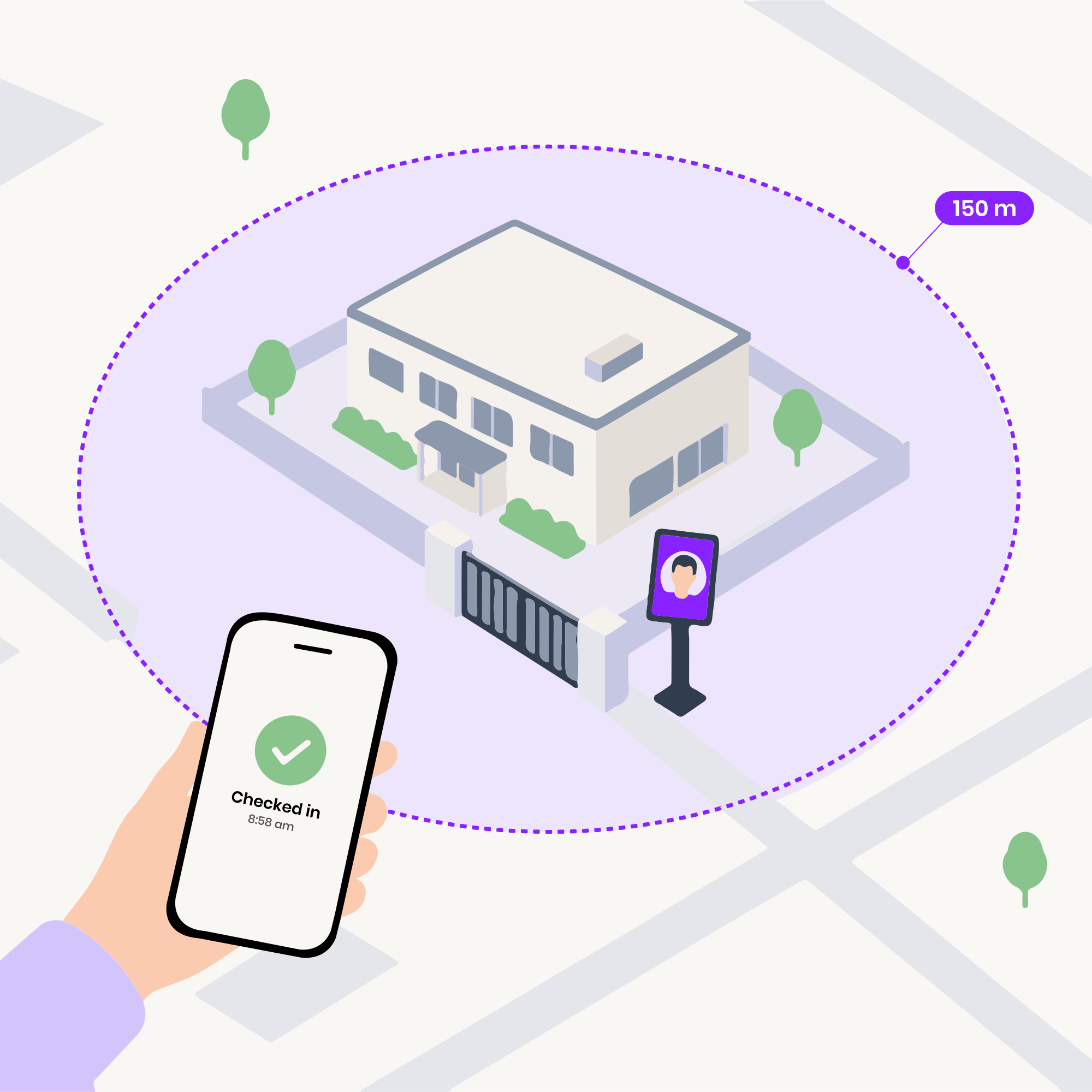
A work site inside its check-in fence, a phone showing Checked in 8:58 am and a tablet at the gate

How it works

Geofenced check‑in, step by step

  1. Drop the pin

    Add the site, place it on the map and set the radius. Anyone assigned there on geofence check-in inherits it immediately.

  2. The fence decides

    At check-in the app takes a position, the server compares it to the fence and refuses anything it can't stand behind.

  3. The record keeps the working

    Coordinates, metres from the fence and accuracy are stored with the timestamp and stay with the record.

01

Geofenced check-in

Measured against the fence before it counts

  • A radius per site, not one for the company
  • The distance is stored, not just tested
  • A weak fix is refused, not recorded as a maybe
  • Out of range says how far

What it doesn't do. A geofence proves a phone was near a site, not who was holding it. Geofence check-in asks for nothing more, and PIN check-in asks for the PIN but not the place — where both matter, a Timix Gate at the entrance checks the face at the door.
150 mRiverside YardAccepted11 m · ±4 mOut of range218 m from site

02

Identity at check-in

Who, confirmed on the device they're holding

  • A PIN that belongs to the person
  • Fingerprint and face unlock, where the phone has it
  • Three ways to check in, chosen by you
  • Somebody else's word says so

What it doesn't do. The phone confirms who is holding it, not whose face it is: no photo is taken at a phone check-in, and nothing is matched against a face. Face recognition is what a Timix Gate does, at the sites that have one.

9:41

Good morning, Priya

Tuesday, 12 August

Check out

On the clock at Riverside Yard

Today

6:42:18

Check-in

9:02 AM

Distance

In range

Office address

Riverside Yard, Unit 4, Bengaluru 560103

ChangeGet directions
Home
Settings

03

Buddy punching & fake GPS

The two ways attendance gets faked, and what happens to each

  • Mocked locations are flagged, or refused
  • Suspicious records are flagged, not dropped
  • One account, one phone
  • Buddy punching costs a phone

What it doesn't do. No app can prove a phone wasn't handed over, and only Android reports a mocked location — an iPhone's goes unchecked. What this does is make the cheap methods expensive and the remaining ones visible; a rooted device with a serious spoofing setup is a different problem, and the honest answer is that it will get through.

Check-in · 06:02

Riverside Gate · Tue 12 Aug

Accepted
EmployeePriya Sharma · RIV-0142
Coordinates12.93521, 77.624481
From fence11 m inside (150 m radius)2
Accuracy±4 m
Marked byOwn phone · geofence
Mock GPSNot detected3

04

Works offline

No signal at the gate doesn't lose the check-in

  • Saved on the phone, not lost
  • The employee can see it worked
  • The position is taken at the gate

What it doesn't do. A saved check-in is timed when it reaches the server, not when it was made, and one the server refuses on arrival — out of range, say — is dropped rather than kept. Until then the office can't see it at all, so a site with no coverage should be managed on that basis.

9:41
No connection

Saved offline

Riverside Gate · 11 m from site

Saved on this phone

It sends the next time you open the app with signal. The position taken just now goes with it.

SiteRiverside Gate
Position kept12.93521, 77.62448
Waiting to send1 check-in

05

Proof-of-presence checks

A spot-check that somebody is still on site

  • Unpredictable, on purpose
  • A window, not an instant
  • A missed check is a record, not an accusation
  • Position comes with the response

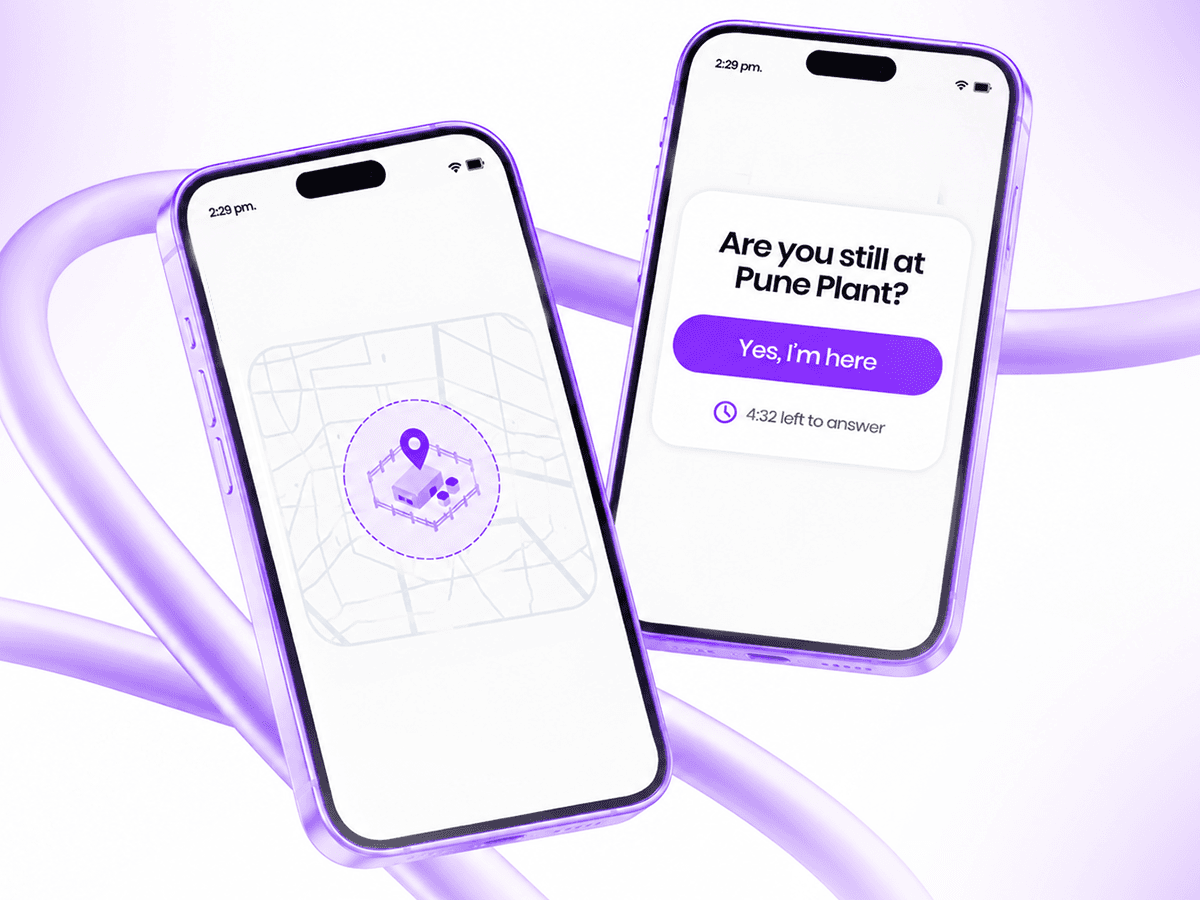
What it doesn't do. It confirms someone responded from a place, not that they were awake for the other eleven hours, and a phone that can't receive notifications is simply not asked. It's a sampling tool — useful over a month, thin as evidence about a single night.

A phone asking "Are you still at Pune Plant?" with a Yes, I'm here button and a countdown

06

Timix Gate

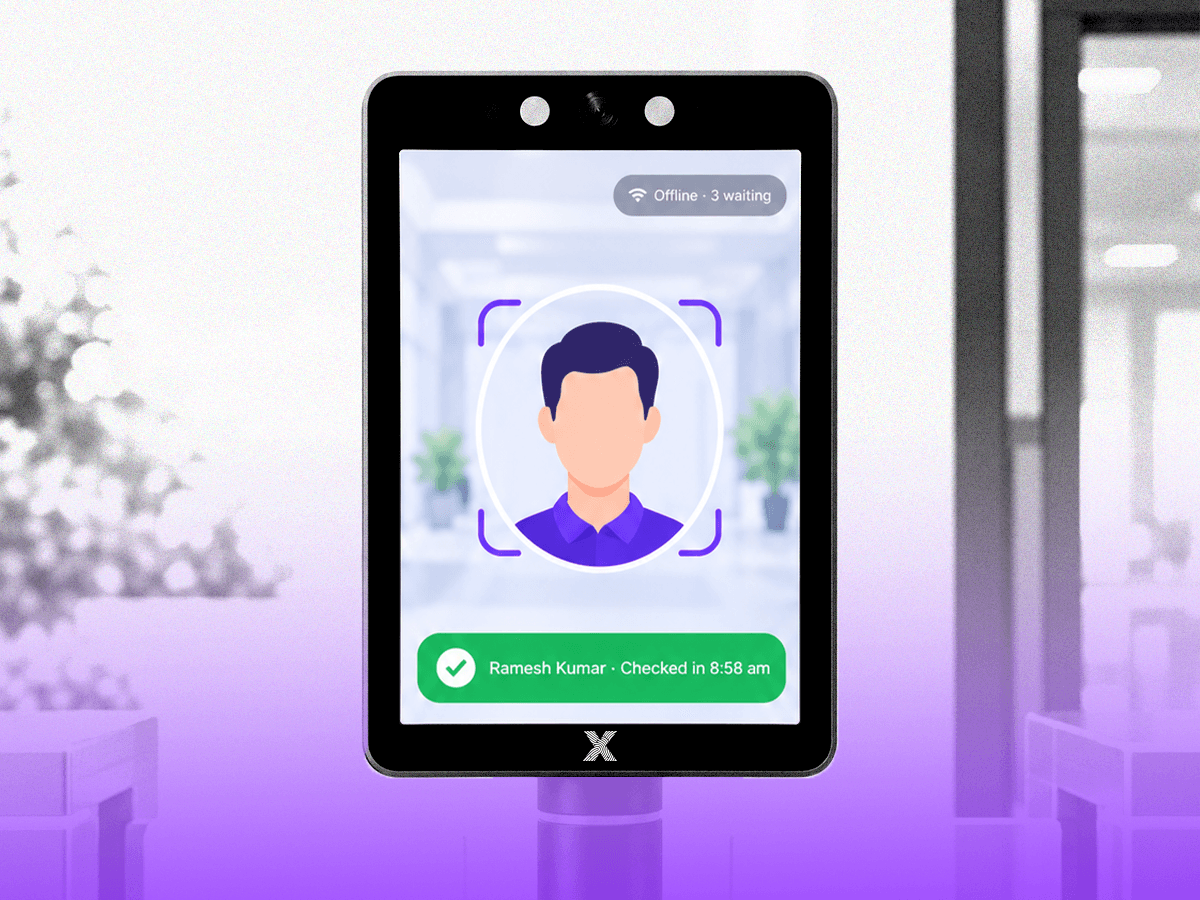
A tablet at the entrance that knows your staff by face

  • Recognised on the tablet, in well under a second
  • No internet is not a reason to stop
  • A photo held up to the camera is caught
  • It tells you when it's in trouble

What it doesn't do. The Gate has no employee PIN to fall back on: somebody it doesn't recognise is sent to their supervisor, and the admin adds the attendance by hand. The photo-or-screen check runs on the Gate, not on phone check-ins.

A Timix Gate tablet at an entrance, checking a face in: Ramesh Kumar · Checked in 8:58 am

07

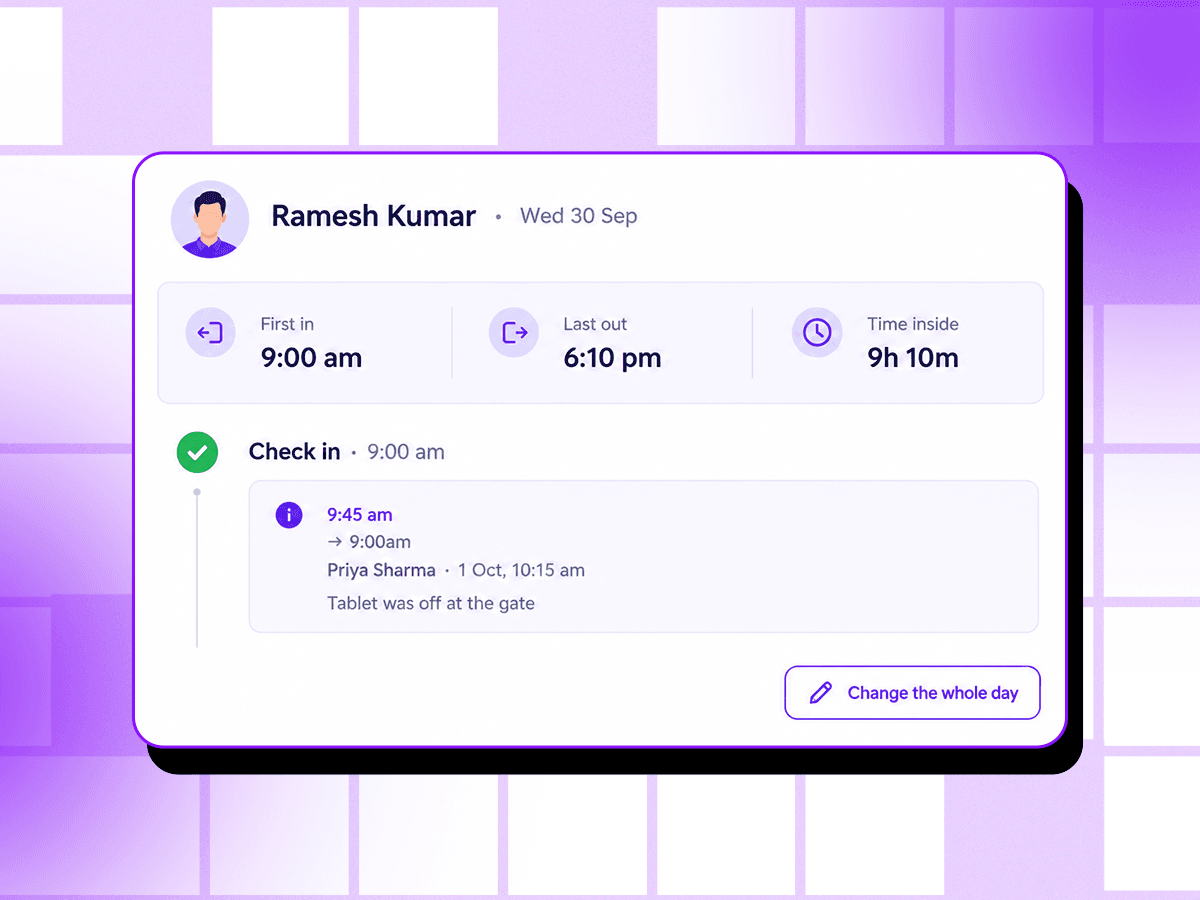
Attendance corrections

Wrong days get fixed, and the fix is on the record

  • Staff ask, from the app
  • Admins correct a time, not just a day
  • Or say what the whole day was
  • A paid month is closed

What it doesn't do. An employee can't ask to be put on leave through a correction — that's a leave request. Changing a paid month means reopening its payout first.

One person's day log, with a check-in corrected from 9:45 to 9:00 am and why

See it for yourself

Twenty minutes on your own sites is worth more than any page about it.

Your roster, your gates, your pay rules — and we'll tell you where it doesn't fit as well as where it does.

The Timix attendance page for a day, with one person late